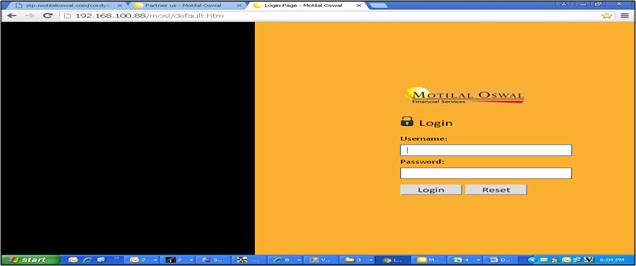
The B.A. shall login to Cordy’s with the following URL:192.168.100.88/mosl/default.htm
Once the B.A. login to Cordy’s application he shall be directed to the following homepage:
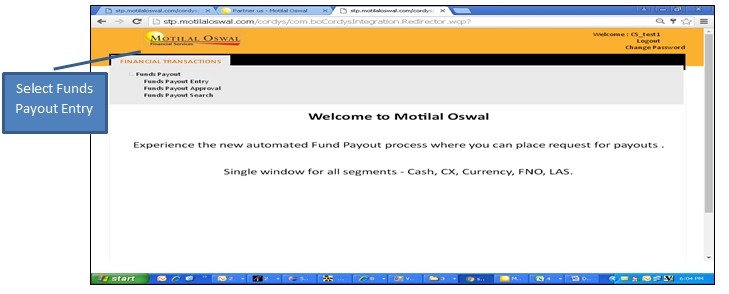
The B.A. can select “Funds Payout Entry” under “Funds Payout”. For specific client codes, the B.A. can punch the client code in the box of “From Client Code” and “To Client Code”.
For Bulk Codes, the B.A. shall click on “Search”, the client codes shall be shown and then select clients and click “Initiate Payout Request”.
Also, within the client drop down the segment in which client is active shall be shown. The B.A. can check the eligible amount segment wise.
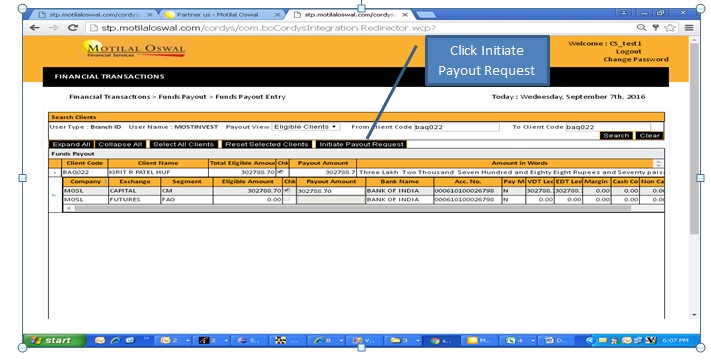
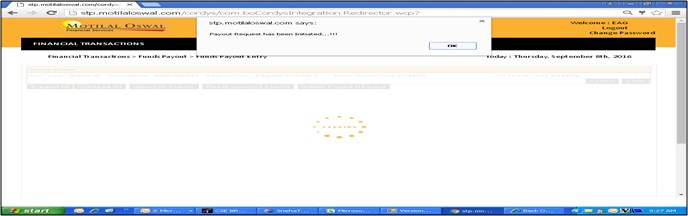
Once the segments are selected, click on “Initiate Payout Request” a dialog box shall be shown:
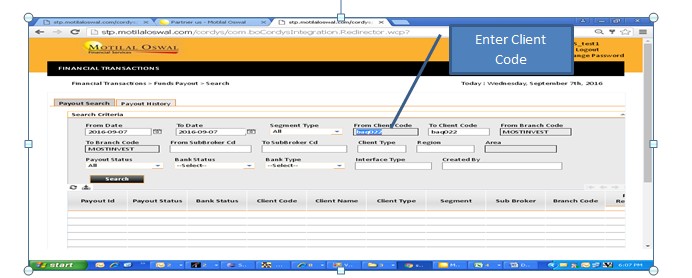
The B.A. can check the status of payout requested by selecting “Funds Payout Search” under “Fund Payout”
The B.A. can check the status if the payout is rejected or approved by RMS and other details like the banking details and eligible amount.
Happy with the solution or Did not find what you were looking for?
Write to us faqfeedback@motilaloswal.com
Motilal Oswal Securities Limited © 2014