What are the key things to be taken care while downloading the new exe?
New Client:
- Enter (Orionliteint/Orionlitevsat/Orionlitell) in My Login id window
- Click on submit
- To download the exe click on Download
- Click Run on Installer window
- On successful installation of the exe the following message “MOSL NEW VERSION INSTALLED” will be displayed
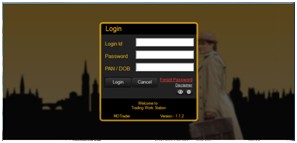
- Go to desktop and double click the icon and log In with your existing user ID, password & PAN/DOB (for second level authentication)
Clients who downloaded Trading Application at least once:
- Not to delete any existing files/folders with respect to exe
- Always take back up of all report files before upgrading the software
Top
Happy with the solution or Did not find what you were looking for?
Write to us faqfeedback@motilaloswal.com
Motilal Oswal Securities Limited © 2014